Click on the Search bar in the header, or use the keyboard shortcut:
Ctrl+K / Cmd+K
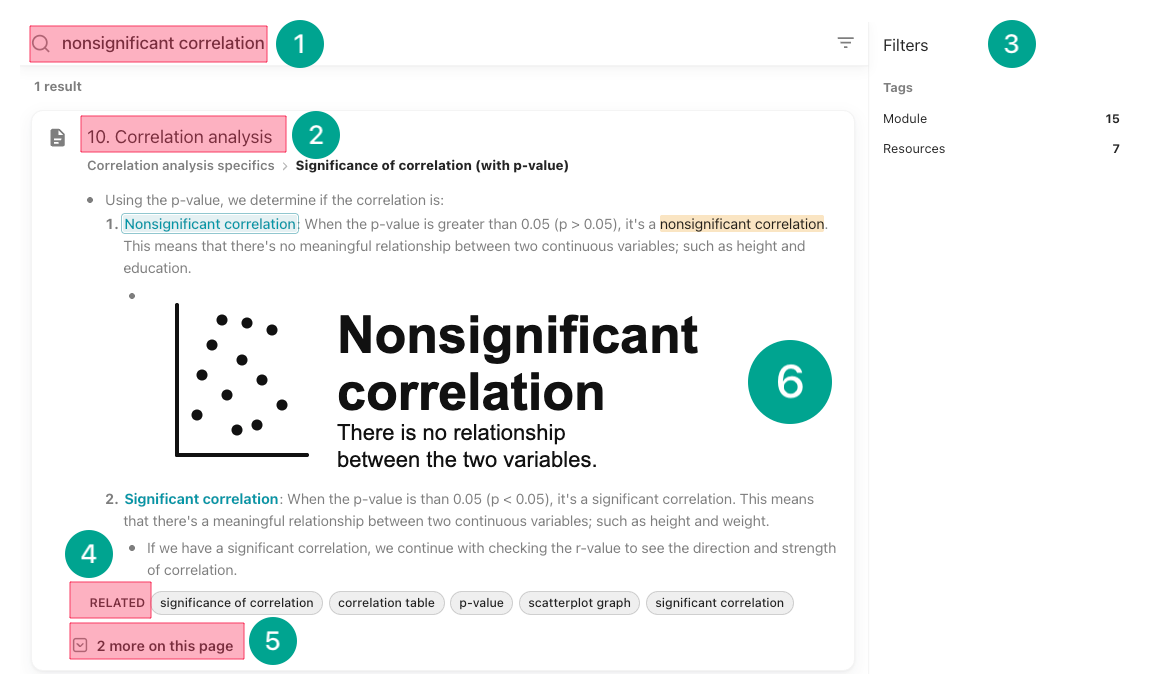
Type the keyword/concept you are looking for, such as nonsignificant correlation to see every module that mentions it, or narrow down with correlation code to find only code sections.
The search cards show the module name.
Clicking on page tags narrows the search.
Right below each search card, you will see clickable "RELATED" concepts, and
How many times the searched keyword/concept is mentioned in the same module.
Clicking that number expands the results within that page.
Clicking on a search card to jump directly to that part on the page.